
How to Track Expenses and Find Where Your Money Goes
Learning how to track expenses can show you where your money is actually going instead of relying on what you think you spend each month.
A budget may look perfectly reasonable on paper, but everyday purchases can create a completely different result.
A $12 convenience-store purchase, a $26 takeout order, an extra grocery trip, a subscription renewal, and a small online purchase may not feel significant individually. Together, they can use hundreds of dollars each month.
Tracking expenses gives you the real numbers you need to build a budget that works.
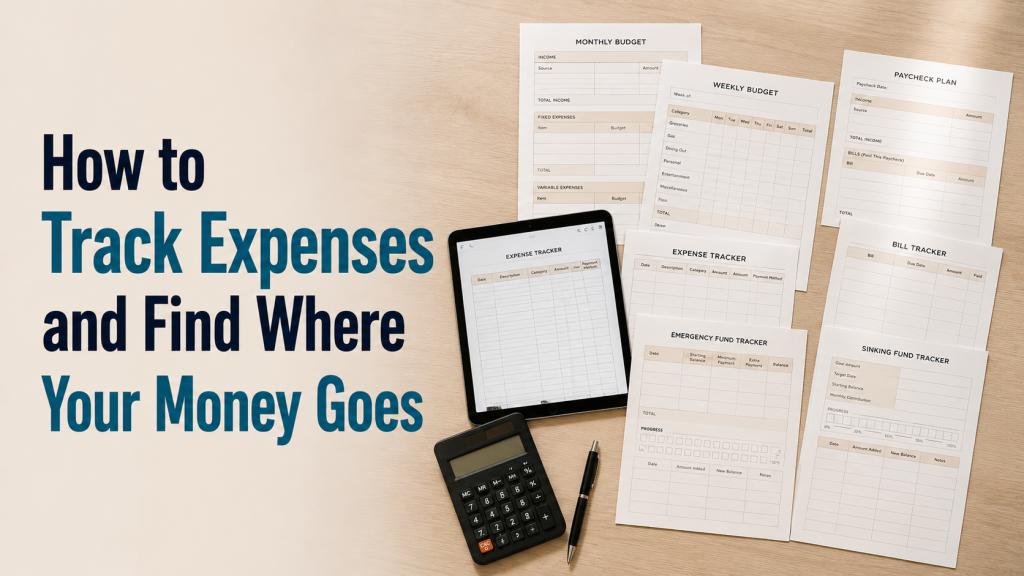
Use the Expense Tracker Printable PDF to record daily purchases, organize spending by category, calculate weekly totals, and compare planned spending with what actually happened.
Why You Should Track Expenses
Expense tracking helps answer questions such as:
- Where did my paycheck go?
- How much do I really spend on groceries?
- How much am I spending on takeout?
- Are small purchases adding up?
- Which subscriptions am I still paying for?
- Am I spending more than my budget allows?
- Which category needs a realistic increase?
- Which expenses could be reduced?
Without tracking, it is easy to underestimate flexible spending.
For example, you may think you spend approximately:
$400 per month on groceries
But your transactions actually show:
- Main grocery trips: $410
- Extra grocery trips: $74
- Convenience-store food: $38
- Takeout: $96
True food spending:
$410 + $74 + $38 + $96 = $618
That is:
$618 − $400 = $218 more than expected
Tracking reveals the difference.
What Expenses Should You Track?
Record every purchase that leaves your household budget.
That includes:
Fixed expenses
Examples:
- Rent or mortgage
- Insurance
- Phone
- Internet
- Loan payments
- Subscriptions
Variable expenses
Examples:
- Groceries
- Fuel
- Household supplies
- Clothing
- Personal care
- Entertainment
- Restaurants
- Takeout
Small expenses
Examples:
- Snacks
- Drinks
- Delivery fees
- Parking
- App purchases
- Convenience-store visits
- Small online orders
Cash purchases
Cash spending should also be recorded.
If $40 leaves your wallet and you do not record where it went, your expense tracker will not show the full picture.
A Realistic Monthly Expense Example
Imagine that your monthly take-home income is:
$3,200
Your planned budget includes:
- Rent: $1,050
- Utilities: $220
- Groceries: $450
- Transportation: $220
- Insurance: $150
- Phone and internet: $110
- Debt payments: $220
- Household expenses: $100
- Personal spending: $100
- Entertainment: $80
- Savings: $150
- Buffer: $100
Total planned:
$2,950
Expected money remaining:
$3,200 − $2,950 = $250
But at the end of the month, only:
$35 remains
That means approximately:
$250 − $35 = $215
was spent somewhere outside the plan.
After reviewing the transactions, you find:
- Extra grocery trips: $54
- Takeout: $62
- Online shopping: $39
- Convenience-store purchases: $27
- Subscription renewals: $18
- Delivery fees: $15
Total:
$54 + $62 + $39 + $27 + $18 + $15 = $215
Now you know exactly what happened.
How to Track Expenses
Step 1: Choose One Tracking Method
Your system should be simple enough to use consistently.
Possible methods include:
- Printable expense tracker
- Notes app
- Spreadsheet
- Budgeting app
- Bank transaction review
- Notebook
You do not need the most advanced system.
A simple method used every day is more useful than a complicated method you stop using after a week.
Step 2: Record the Date
Write down the date of each purchase.
For example:
| Date | Expense |
|---|---|
| August 1 | Groceries |
| August 2 | Fuel |
| August 2 | Takeout |
| August 3 | Household supplies |
Dates help you identify spending patterns.
You may discover that spending increases:
- After payday
- During weekends
- At the end of the workday
- During school activities
- During certain weeks of the month
Step 3: Record What You Bought
Use a short but useful description.
Instead of writing:
Storewrite:
Weekly groceriesInstead of:
Amazonwrite:
Phone chargerThe description should help you understand the purchase later.
Step 4: Assign a Spending Category
Common categories include:
- Housing
- Utilities
- Groceries
- Transportation
- Healthcare
- Insurance
- Debt
- Household
- Personal care
- Clothing
- Eating out
- Entertainment
- Subscriptions
- Children
- Pets
- Savings
- Miscellaneous
Do not create 30 categories when 10–15 will give you enough information.
The purpose is clarity, not complexity.
Step 5: Record the Exact Amount
Use the real transaction amount.
For example:
Groceries — $87.46not:
Groceries — about $90Small differences become significant across many transactions.
Suppose you round five purchases down by approximately $3 each.
That creates:
$3 × 5 = $15
of spending that disappears from your tracking.
Over four weeks:
$15 × 4 = $60
Accurate numbers matter.
Step 6: Record the Payment Method
This is optional but useful.
Possible methods include:
- Debit card
- Credit card
- Cash
- Bank transfer
- Digital wallet
Tracking payment methods can reveal habits.
For example, you might discover that most unplanned purchases happen on a credit card while debit-card spending stays within budget.
Step 7: Track Purchases the Same Day
Do not rely on remembering everything at the end of the month.
A five-minute daily routine is easier.
At the end of the day:
- Open your bank account.
- Check card transactions.
- Add cash purchases.
- Record the amount.
- Assign a category.
This may take only a few minutes.
Step 8: Review Your Spending Every Week
Do not wait until the month is finished.
At the end of each week, total the main categories.
For example:
Week 1
- Groceries: $128
- Transportation: $62
- Takeout: $34
- Household: $23
- Personal spending: $29
Total:
$276
Compare this with your planned weekly limit.
If the weekly spending goal was:
$240
you are:
$276 − $240 = $36 over budget
You now have time to adjust Week 2.
Use the Weekly Budget Planner Printable to combine weekly limits with your actual spending totals.
Step 9: Compare Planned and Actual Spending
This is where expense tracking becomes useful for budgeting.
Suppose your monthly plan was:
| Category | Planned | Actual |
|---|---|---|
| Groceries | $450 | $527 |
| Transportation | $220 | $208 |
| Takeout | $60 | $118 |
| Household | $100 | $92 |
| Personal | $100 | $135 |
Differences:
- Groceries: $77 over
- Transportation: $12 under
- Takeout: $58 over
- Household: $8 under
- Personal: $35 over
This tells you where the next budget needs attention.
Use the Simple Budget Planner to compare planned and actual amounts for the full month.
Step 10: Look for Spending Leaks
A spending leak is a repeated expense that uses more money than expected without providing much value.
Possible examples:
- Multiple streaming subscriptions
- Convenience-store visits
- Delivery fees
- Small online purchases
- Bank fees
- Unused memberships
- Extra grocery trips
- Automatic app renewals
- Frequent takeout
- Impulse purchases
One $8 purchase is not necessarily a problem.
But:
$8 × 15 purchases = $120
Frequency matters.
Step 11: Separate Necessary Spending From Optional Spending
Not every large expense should be reduced.
Suppose your biggest categories are:
- Rent: $1,050
- Groceries: $500
- Transportation: $240
- Insurance: $150
These may be essential.
Your smaller categories might include:
- Takeout: $130
- Streaming: $48
- Online shopping: $95
- Convenience purchases: $60
Optional total:
$130 + $48 + $95 + $60 = $333
The easier improvements may be hidden in several smaller categories rather than one large essential expense.
Step 12: Change Only a Few Categories at a Time
Do not try to cut every expense immediately.
Choose the categories with the biggest realistic opportunity.
For example:
Current spending:
- Takeout: $130
- Extra grocery trips: $75
- Online shopping: $95
New goals:
- Takeout: $70
- Extra grocery trips: $30
- Online shopping: $50
Potential monthly reduction:
$60 + $45 + $45 = $150
That is a meaningful improvement without changing every part of the household budget.
How to Track Grocery Expenses
Groceries deserve special attention because one receipt may contain multiple categories.
For example, a supermarket receipt of:
$156
may include:
- Food: $119
- Cleaning supplies: $22
- Personal care: $15
If you record the full $156 as groceries, your food category appears higher than it actually is.
You can split the transaction:
Groceries: $119
Household: $22
Personal care: $15
This gives you better information.
For more help controlling food spending, read How to Stop Overspending on Groceries.
How to Track Cash Spending
Cash is easy to forget.
If you withdraw:
$100
do not automatically record the entire $100 as an expense.
Instead record how it is spent.
For example:
- Groceries: $32
- School expense: $18
- Takeout: $15
- Fuel: $20
- Cash remaining: $15
Total spent:
$85
Money remaining:
$15
This gives you the real spending categories.
How to Track Credit Card Spending
Do not wait until you make the credit card payment.
Track the expense when the purchase occurs.
For example:
August 8 — Groceries — Credit Card — $72If you wait and record only:
Credit Card Payment — $500you lose information about what created the balance.
The credit card payment is a transfer toward debt. The purchases are the actual spending.
How to Track Subscriptions
Create a list of recurring subscriptions.
Include:
- Streaming
- Music
- Apps
- Cloud storage
- Gaming
- Software
- Memberships
- Subscription boxes
For each one, record:
- Service
- Price
- Billing frequency
- Renewal date
- Whether you still use it
Example:
| Subscription | Monthly cost |
|---|---|
| Streaming | $16 |
| Music | $12 |
| Gaming | $15 |
| Cloud storage | $10 |
| App | $8 |
Total:
$61 per month
Annual cost:
$61 × 12 = $732
A small monthly category can become significant over a year.
What if You Forget to Track for Several Days?
Do not abandon the system.
Use:
- Bank transactions
- Credit card history
- Digital wallet history
- Receipts
- Email confirmations
Fill in the missing purchases and continue.
You do not need perfect tracking.
You need enough accurate information to understand your spending.
What if Your Spending Is Higher Than Expected?
Do not immediately decide that you failed.
Ask:
- Was the budget unrealistic?
- Was there an unusual expense?
- Did prices increase?
- Were several purchases unplanned?
- Did an annual bill occur?
- Did one category need more money than usual?
For example:
Planned groceries:
$400
Actual groceries:
$470
If your household consistently spends $450–$470 even after careful planning, a $400 grocery budget may simply be unrealistic.
A useful budget reflects real life.
How Expense Tracking Helps When Money Is Tight
When income barely covers expenses, tracking becomes even more important.
You need to know which costs are:
- Essential
- Adjustable
- Optional
- Irregular
- Unexpected
Use the Low Income Budget Planner to prioritize essentials after your expense tracker reveals the real monthly amounts.
Do not create a low-income budget based on guesses.
How Expense Tracking Helps With Debt
Tracking expenses can reveal money that may eventually be redirected toward debt.
For example:
You discover:
- Unused subscriptions: $25
- Extra takeout: $45
- Convenience purchases: $30
Possible reduction:
$100 per month
That creates:
$100 × 12 = $1,200 per year
that could potentially support debt reduction.
Use the Debt Payoff Tracker Printable PDF to track progress once you decide on a realistic extra payment.
How Expense Tracking Helps Build Savings
Tracking may also reveal small amounts that can support emergency savings.
Suppose you reduce:
- Takeout by $25
- Online shopping by $20
- Subscriptions by $10
Total:
$55 per month
After one year:
$55 × 12 = $660
Use the Emergency Fund Tracker Printable to turn those savings into a clear financial goal.
How Long Should You Track Expenses?
If you have never tracked spending before, start with:
30 days
That gives you enough information to see recurring patterns.
For an even better picture, track:
2–3 months
This helps capture:
- Different grocery weeks
- Utility changes
- Irregular purchases
- Subscriptions
- Seasonal expenses
- One-time costs
After that, you may switch to lighter tracking if your budget is stable.
A Simple Five-Minute Daily Expense Routine
Every evening:
- Check your bank transactions.
- Check credit card purchases.
- Add any cash spending.
- Record each transaction.
- Assign the category.
- Check the remaining weekly budget.
Once per week:
- Total every category.
- Compare it with the plan.
- Identify one problem area.
- Adjust the following week.
Once per month:
- Calculate monthly totals.
- Compare planned versus actual.
- Find repeated overspending.
- Change the next budget.
You do not need to think about budgeting all day.
A short routine is enough.
Common Expense Tracking Mistakes
Tracking Only Large Purchases
Small repeated purchases may be where the biggest budget leak exists.
Waiting Until the End of the Month
Review spending weekly so you have time to adjust.
Recording Credit Card Payments Instead of Purchases
Track the original purchases by category.
Ignoring Cash
Cash spending still reduces your available money.
Using Too Many Categories
Keep the system simple enough to maintain.
Judging Every Purchase
The purpose of tracking is information, not guilt.
Identify patterns first. Then decide what needs to change.
Creating an Unrealistic Budget After One Month
Some expenses change from month to month.
Look for repeated patterns before making large reductions.
Giving Up After Missing Several Days
Review your transaction history and continue.
Download the Free Expense Tracker
The printable expense tracker helps you:
- Record everyday purchases
- Organize spending by category
- Track payment methods
- Calculate weekly totals
- Compare planned and actual spending
- Identify overspending
- Complete a monthly spending review
- Build a more realistic budget for the next month
Start by tracking every purchase for seven days. Then continue for a full month to see the complete pattern.
Explore more free budget templates and printable PDF trackers for weekly budgeting, paychecks, bills, savings, debt, and low-income planning.
Frequently Asked Questions
What is the easiest way to track expenses?
Use one simple system and record purchases daily. A printable tracker, spreadsheet, notes app, or budgeting app can all work.
Do I need to track every purchase?
Tracking every purchase for at least a few weeks provides the clearest picture, especially small and cash transactions.
Should I track credit card payments as expenses?
Track the individual purchases when they occur. The later credit card payment should not replace the original spending categories.
How often should I review my expenses?
Record purchases daily when possible, review category totals weekly, and complete a full review at the end of each month.
How long should I track expenses?
Start with 30 days. Tracking for two or three months gives an even more accurate picture of recurring and irregular spending.